Introducing WeblyBase Page Builder

Design pages. Drag, drop, done.
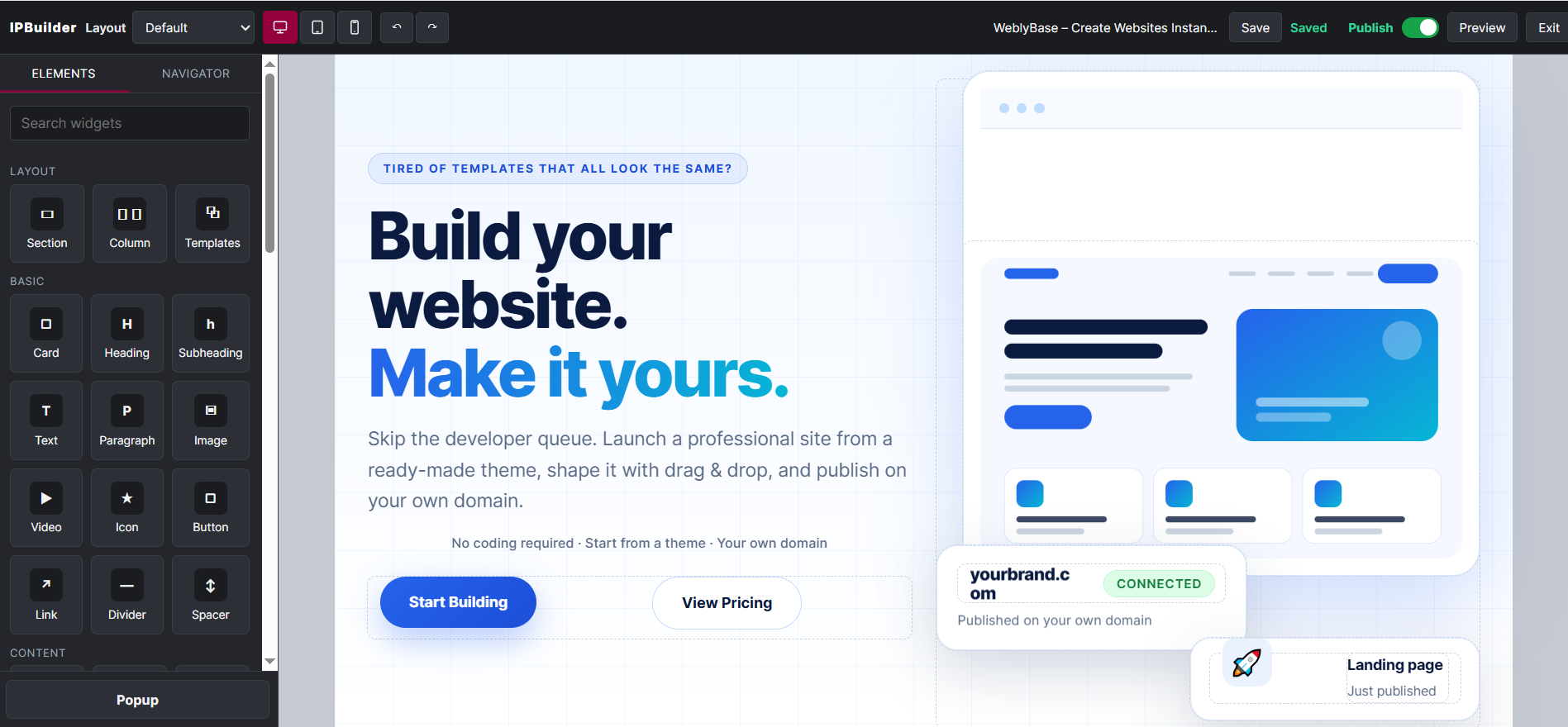
A visual page builder with 49 ready-to-drop elements. Build landing pages and full websites by dragging, dropping and publishing — no code needed.
No code
Fully responsive
Instant preview
WeblyBase Page Builder editor with the Elements panel and live canvas
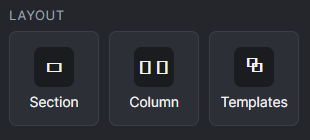
Layout elements: Section, Column and Templates
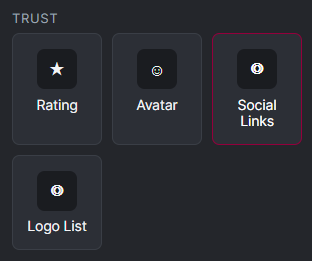
Trust elements: Rating, Avatar, Social Links and Logo List
How it works

Build in layers.

Sections go on the page. Everything else is dropped into a column or a card — so every design stays clean, editable and responsive.
✓ Add a section to start a new band
✓ Split it into columns
✓ Drop in elements and make them yours
Section
Column
H
Heading
T
Text
▢
Button
Column
▣
Image
▢
Card
Element library

49 building blocks. One builder.

Layout, content, media, interactive and dynamic elements — all native, all editable.
Layout elements: Section, Column, Templates

Layout

3 elements
Sections, columns and saved templates — the skeleton of every page.
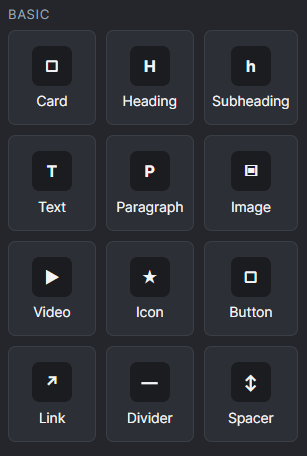
Basic elements: Card, Heading, Subheading, Text, Paragraph, Image, Video, Icon, Button, Link, Divider, Spacer

Basic

12 elements
Headings, text, images, buttons and more — the everyday essentials.
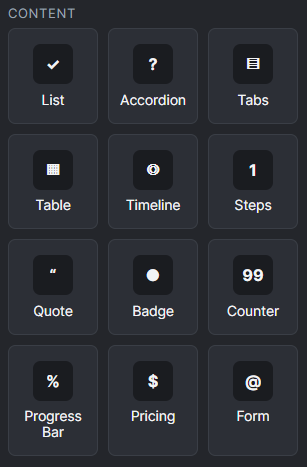
Content elements: List, Accordion, Tabs, Table, Timeline, Steps, Quote, Badge, Counter, Progress Bar, Pricing, Form

Content

12 elements
Lists, accordions, tabs, tables, steps, pricing and forms.
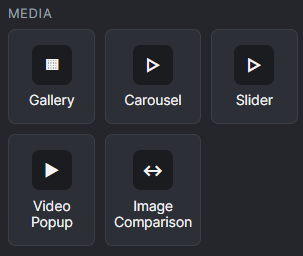
Media elements: Gallery, Carousel, Slider, Video Popup, Image Comparison

Media

5 elements
Galleries, carousels, sliders, video popups and image comparison.
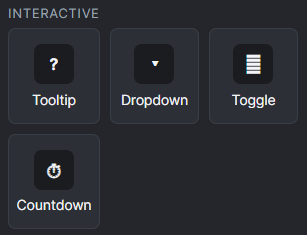
Interactive elements: Tooltip, Dropdown, Toggle, Countdown

Interactive

4 elements
Tooltips, dropdowns, toggles and countdowns.
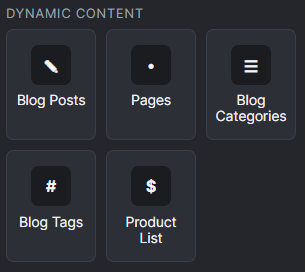
Dynamic content elements: Blog Posts, Pages, Blog Categories, Blog Tags, Product List

Dynamic content

5 elements
Blog posts, pages, categories, tags and product lists.
Trust elements: Rating, Avatar, Social Links, Logo List

Trust

4 elements
Ratings, avatars, social links and logo lists.
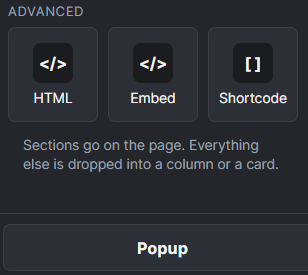
Advanced elements: HTML, Embed, Shortcode and Popup

Advanced

3 elements + popup
HTML, embed and shortcode — plus popups when you need them.
Live demo

Real elements. Real results.

Every element below is a native, editable element — the same ones you drag onto your own pages.
Trust

Rating, quote & avatar

Add a short customer quote here.

Customer nameRole, company
W
Customer name
Role, company
Content

Accordion

A collapsible list for FAQs and details.

Yes — colors, icons and spacing are all editable.

Content

Form

Content

Pricing switch

Starter
₹499.00/month₹5,489.00/year

Native pricing with a monthly / yearly switch.

  • ✓Monthly or yearly billing
Get Started
Basic & Trust

Badges, buttons & social

New
Badge
Popular
Interactive

Dropdown

Tap the menu icon:
Live preview

Highlight what matters.

Make every word count

Hover this card to feel the tilt.
Motion & polish

Pages that feel alive.

Add depth and movement without writing a line of code.
✓ Hover tilt and glow on cards and buttons
✓ Reveal-on-scroll text
✓ Animated headings
✓ Highlights, underlines and hand-drawn marks
Responsive by design

One design. Every screen.

Switch between desktop, tablet and mobile while you build — and preview full screen before you publish.
Desktop
Tablet
Mobile
FAQ

Questions, answered.

Everything you might want to know before you build your first page.

No. You build by dragging elements into sections and columns, then editing text, images and styles in place.

Layout, basic, content, media, interactive, dynamic content, trust and advanced elements — 49 building blocks in total.

Yes. Use the page builder for custom pages and landing pages, and start from a ready-made theme when you want a head start.

Yes. You can switch between desktop, tablet and mobile while building, and preview full screen before publishing.

Yes. Save sections and pages as templates and insert them again whenever you need them.

Saving is manual — press Save when you’re ready. Unsaved changes are clearly flagged so nothing gets lost.

Ready when you are

Your next page starts with a drag.

Pick an element, drop it in, publish. That’s it.